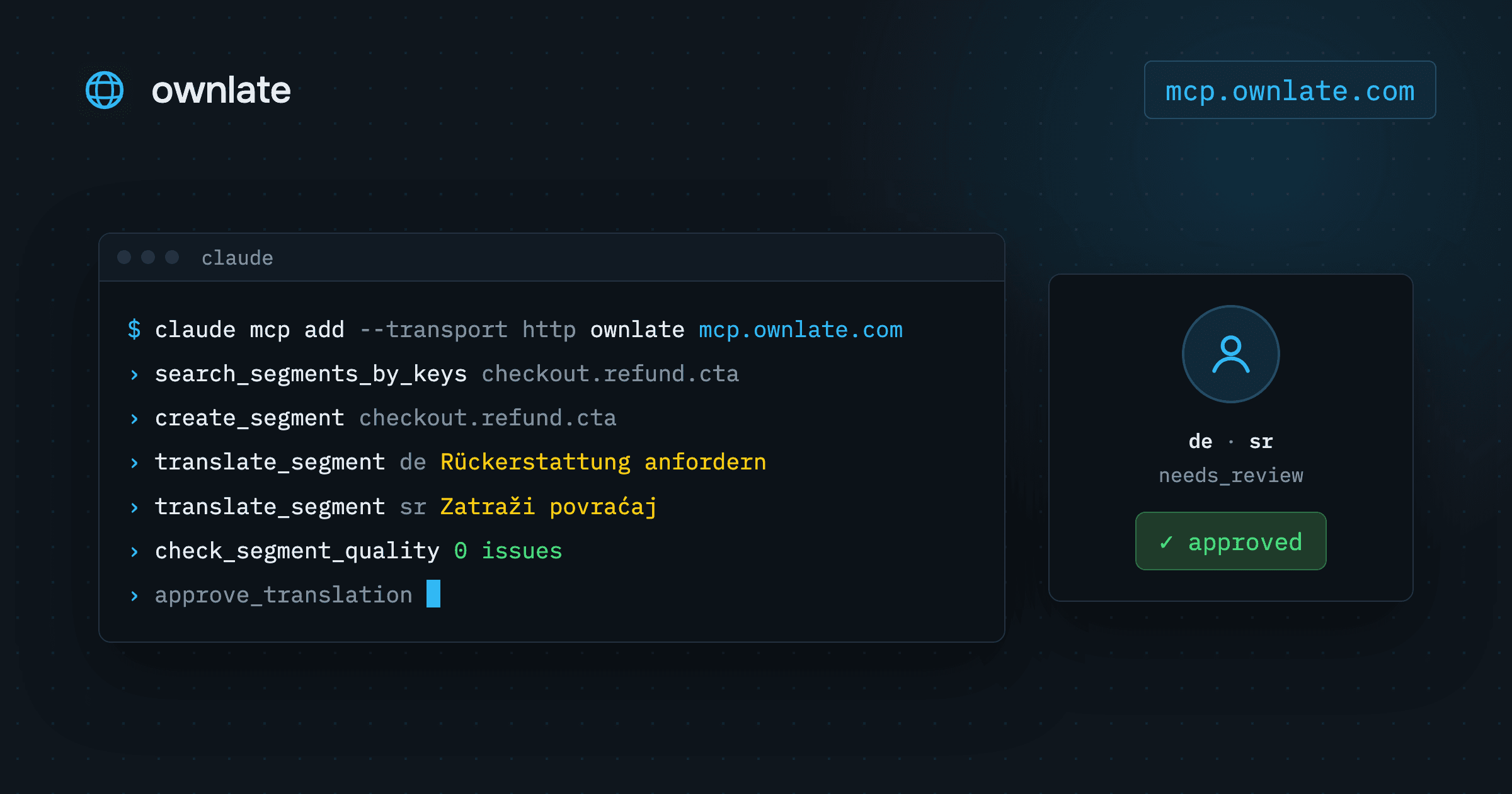
Adding a string to an app is a small change in the code, followed by a separate trip to wherever the translations live. Ownlate runs a hosted MCP server for translations at https://mcp.ownlate.com/, so the assistant already working in your repository can make that trip. Connect Claude Code, Cursor or any other MCP client, and it gets tools for keys, translations, approvals, translation memory lookups, QA checks and releases in your Ownlate workspace.
This guide covers the setup, what the agent can reach, a walkthrough of one new string from prompt to release, and the guardrails that keep localization with AI agents reviewable.
Setting up the MCP server for translations in Claude Code
In Claude Code it is one command:
claude mcp add --transport http ownlate https://mcp.ownlate.com/
The server speaks streamable HTTP and authorises with OAuth 2.1, including dynamic client registration, so there is no key to copy. The first call returns a 401 with the address of the protected-resource metadata. The client follows it, registers itself and sends you to a consent screen, where you choose two things:
- Which workspaces the token may reach. It cannot see any other, whatever you are a member of.
- Which permissions it may use, taken from the same permission codes as the rest of your workspace.
On a device with no browser, the server supports the device authorisation flow instead: the client shows a code, and you approve it at platform.ownlate.com/device.
Other clients need only the URL. In VS Code, .vscode/mcp.json looks like this:
{
  "servers": {
    "ownlate": {
      "type": "http",
      "url": "https://mcp.ownlate.com/"
    }
  }
}
The MCP documentation also has the Claude Desktop configuration.
What the agent can do
The server exposes thirty-two tools. Grouped by what they touch:
- Orientation:
list_workspaces,list_projects,get_project(with its source and target languages),list_languages,create_projectandadd_target_languages. - Reading:
list_segmentsfiltered by language and status,search_segments_by_keys,get_project_progress,get_translation_history, andexport_translations, which returns a whole locale shaped like the localisation file. - Writing:
create_segment,import_segments,update_segment_source_text,translate_segment,save_draft_translation, and the review actionsmark_translation_reviewed,approve_translationandreject_translation. - Quality:
search_translation_memory,list_glossary_entries,find_glossary_matches,check_segment_quality, and the segment comment tools. - Releases:
list_releases,create_release,recreate_latest_releaseandget_ota_distribution.
Two prompts package the jobs an assistant is usually asked for. Both take projectId and language. translate_missing walks the untranslated keys, consults the translation memory and the glossary, and writes drafts. review_translations reads a language against the glossary and the quality rules and reports what is off, changing nothing.
A tool is offered only when the token carries the matching right. translate_segment needs translation:write, approve_translation needs translation:approve, and create_release needs project:create. The guardrails further down are built on that mapping.
Walkthrough: one new string, from prompt to release
Say you are building a refund flow and need a button label, checkout.refund.cta, in a project that targets German and Serbian. The short version is a single prompt:
› Add checkout.refund.cta "Request a refund",
  translate it into de and sr, approve both
  and publish a release.

  create_segment       checkout.refund.cta
  translate_segment    de  Rückerstattung anfordern
  translate_segment    sr  Zatraži povraćaj
  approve_translation  de, sr
  create_release       15  published
That works when you hold translation:approve and granted it to the assistant. For most teams, a slower version is the better default. Here it is step by step.
1. Check the key, then create it
search_segments_by_keys looks up a list of keys and reports the ones with no segment separately, so the agent knows whether checkout.refund.cta exists before it writes anything. create_segment then adds the key with its source text. For a feature with a dozen strings, import_segments without a language writes all the source texts in one call.
2. Look at what the team already decided
search_translation_memory shows how similar source texts were translated before, each with a similarity score. find_glossary_matches lists the glossary entries that occur in the source text. If your glossary already settles how "refund" is translated, the agent reuses that wording rather than inventing a synonym.
3. Write the translations
translate_segment saves a translation for one segment in one language, so this is one call for de and one for sr. If a person should read everything first, have the agent use save_draft_translation instead: the text is stored as a draft, and nothing enters the review queue unread. With many keys, import_segments with a language writes that language's translations in one call.
4. Run the QA checks
check_segment_quality returns the QA rules a translation violates: a placeholder missing or added, HTML tags that do not match the source, trailing whitespace, a translation identical to the source, a forbidden glossary term, or one of your own regex rules. A button label has no placeholders, but {{count}} refunds pending would. The checks report and do not block, so ask the agent to show you the result rather than carry on quietly.
5. Approval: a person decides
A reviewer reads the German and Serbian and approves them, in the editor or by asking the agent to call approve_translation after reading. Until then, the translations are not shippable.
6. Publish the release
get_project_progress shows the translated and approved share per language. create_release then snapshots the approved translations into a new release, or recreate_latest_release rebuilds the latest release from what is approved now and keeps its version. Apps that load translations over OTA get them from the project's distribution; get_ota_distribution describes it without returning the access key.
The same routine on Ownlate's own interface
Ownlate's interface strings live on the platform, not in the repository. Only the English source file is committed, and the apps take every other language from the project's OTA bundle. The instructions the team gives its coding agent for a new string are four steps:
search_segments_by_keysto check the key does not exist yet.import_segmentswithoutlanguageto create the keys with their source text.import_segmentswithlanguage, one call per language, to write the translations.recreate_latest_release, because a bundle is built from what is approved at the moment of the release.
Keys are dot-separated (notifications.type.taskAssigned) and placeholders use {{name}}. Approval happens only on a person's decision. An unapproved translation stays out of the bundle and waits for review.
Guardrails for localization with AI agents
Sign-in is per person. Each grant comes from the person who signed in, and a token can never do more than that person can. Granting translation:approve to an assistant when you do not hold it yourself grants nothing. If you lose a right in the workspace, the tool is gone from the next call on, without reissuing the token.
Access is revoked like an API key. Grants are listed at platform.ownlate.com under your profile, in connected applications. Withdrawing one stops its tokens at the next call.
Changes are audited. Every call that changes something is written to the workspace audit log as mcp.<tool>, with the client and the grant it came from.
Approval stays with a person. Only approved translations go into a release. A language nobody has finished ships with the keys that are done and nothing else. Approval also does more than change a status: the source and target pair is written to the translation memory, and the words count against your plan. Pre-translation later applies and approves an exact memory match on its own, so a wrong approval does not stay in one string. If you do not want the assistant approving, grant it translation:write only and let it work through drafts.
Know what the model reads. Everything a tool returns is read by the model of the client you connected: source texts, translations, keys, glossary terms, comments and the names of the people who wrote them. The project's OTA access key, integration credentials and anything about billing are never returned. For a workspace under an agreement that forbids this, do not connect an assistant.
A grant may also make 120 calls a minute. Beyond that the server answers 429 with Retry-After.
Further reading
- MCP server: the full tool list, the rights each tool needs, resources and prompts
- The translation workflow: statuses, review and what approval does
- Quality checks and glossary
- Translation memory
- Releases and OTA
- Getting started
Plans and their limits are on the pricing page.