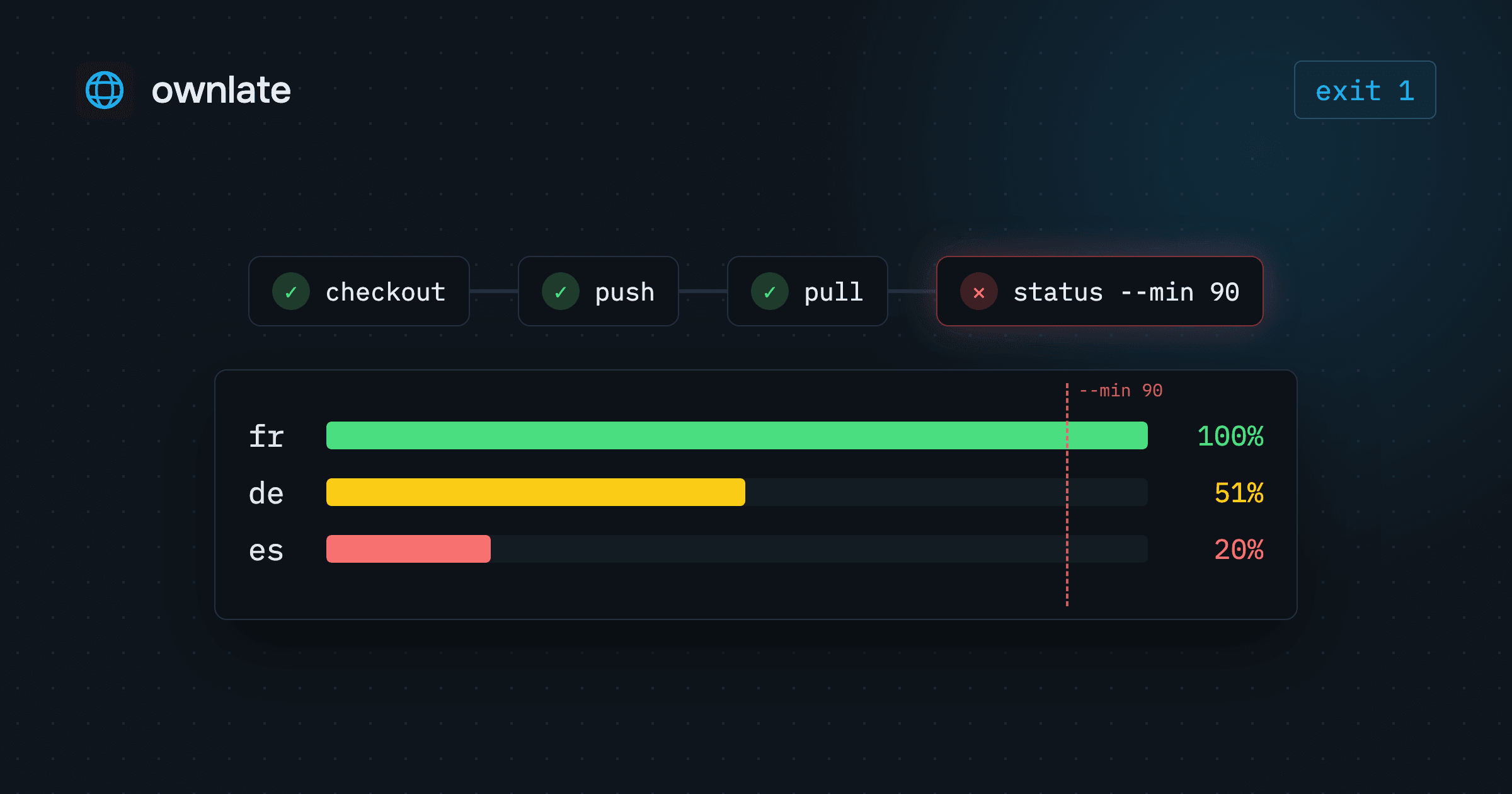
Most localization problems are sync problems. A string added in a feature branch never reaches translators, finished translations sit on the platform because nobody exported them, and a release ships with half of German still in English. Localization in CI/CD moves that sync from a person's to-do list into the pipeline. This guide sets up three jobs with the Ownlate CLI: push source strings on every merge, pull translations on a schedule or before a release, and fail the build when a language is below a threshold.
The three jobs
| Job | When | Command |
|---|---|---|
| Push source strings | Every merge to the default branch | ownlate push |
| Pull translations | On a schedule, or right before a release build | ownlate pull |
| Gate on progress | Before a release | ownlate status --min <N> |
Pushing on merge means translators see a new string as soon as it lands. Pulling on a schedule or before a release keeps Ownlate the source of truth for translations while the build stays reproducible from the repository. The gate turns "is German ready?" from a question in a chat thread into an exit code.
Configure ownlate.yml for CI
The CLI reads ownlate.yml from the current directory. On your machine, ownlate login stores an API key in ~/.ownlate. A CI runner has no such file and should not need one. Instead, api_token_env names the environment variable that holds the token:
project_id: 00000000-0000-0000-0000-000000000000
api_token_env: OWNLATE_API_TOKEN

files:
  - source: locales/en.json
    translation: locales/{lang}.json
With this file committed, push, pull, status and translate need nothing else: no ownlate login, no ~/.ownlate. Commands that work across the whole workspace, such as init, project list and project create, still need a login, so keep those on your machine.
files[].translation must contain {lang}, the placeholder each target language code is written into. The same file is what Ownlate's GitHub and GitLab integration reads on sync, so one config serves the CLI, the pipeline and the Git integration.
Create an API key under Profile → API keys, then store it as a repository secret named OWNLATE_API_TOKEN. Every example below passes that secret to the CLI as an environment variable of the same name.
Localization in CI/CD with the GitHub Action
The official action, OwnLate/actions@v1, runs the CLI in a container and turns commands on with inputs: upload_sources runs push, translate runs translate, download_translations runs pull, and check_status runs status. Inside one step they always run in that order.
Push source strings on every merge
name: Push source strings

on:
  push:
    branches: [main]

jobs:
  push:
    runs-on: ubuntu-latest
    steps:
      - uses: actions/checkout@v4

      - uses: OwnLate/actions@v1
        with:
          upload_sources: true
        env:
          OWNLATE_API_TOKEN: ${{ secrets.OWNLATE_API_TOKEN }}
push uploads every files[].source and creates or updates segments from it, so a key added in a merged branch is waiting for translators a minute later.
The action also has an api_key input. It hands that value to the CLI as OWNLATE_API_KEY, so if you use it, set api_token_env: OWNLATE_API_KEY in ownlate.yml. Passing the secret through env, as above, keeps one config that behaves the same with the action, the Docker image and a local shell.
Fail the build when translations are missing
ownlate status prints a progress table for every target language:
  Project  My App  f4092389-…

  Lang     ████████████░░░░░░░░   %    Total  Untrans   Draft  Transl  Approved
  ────────────────────────────────────────────────────────────────────────────
  fr       ████████████████████ 100%     484        0       0       0       484
  de       ██████████░░░░░░░░░░  51%     484      237      12      89       146
  es       ████░░░░░░░░░░░░░░░░  20%     484      387       4      51        42
  ────────────────────────────────────────────────────────────────────────────
  3 langs                        57%    1452      624      16     140       672
With --min <percent>, the command exits with code 1 if any language is below that percentage. In the action, that is check_status plus min_progress:
      - uses: OwnLate/actions@v1
        with:
          check_status: true
          min_progress: 90
        env:
          OWNLATE_API_TOKEN: ${{ secrets.OWNLATE_API_TOKEN }}
Against the project above, de and es are below 90, so the step fails and the job fails with it. The table stays in the log, split into untranslated, draft, translated and approved, so whoever opens the failed run can tell missing work from work waiting for review.
Pull translations before a release
For a release build, pull and check in one step, then build:
name: Release

on:
  push:
    tags: ["v*"]

jobs:
  build:
    runs-on: ubuntu-latest
    steps:
      - uses: actions/checkout@v4

      - name: Pull translations and check progress
        uses: OwnLate/actions@v1
        with:
          download_translations: true
          check_status: true
          min_progress: 90
        env:
          OWNLATE_API_TOKEN: ${{ secrets.OWNLATE_API_TOKEN }}

      # your build steps follow
pull writes each language to the path from files[].translation, so the build that follows finds the files where it always does. If a language is below the threshold, the job stops before the build starts.
Pull on a schedule
To keep the translated files in the repository current between releases, run the pull on a schedule and let the action commit the result with push_translations:
name: Pull translations

on:
  schedule:
    - cron: "0 6 * * 1-5"
  workflow_dispatch:

permissions:
  contents: write

jobs:
  pull:
    runs-on: ubuntu-latest
    steps:
      - uses: actions/checkout@v4

      - uses: OwnLate/actions@v1
        with:
          download_translations: true
          push_translations: true
          commit_message: "Update translations from Ownlate"
        env:
          OWNLATE_API_TOKEN: ${{ secrets.OWNLATE_API_TOKEN }}
If nothing changed, the action skips the commit. github_user_name and github_user_email set the commit author. If your default branch does not accept direct pushes, use the Git integration's Create PR instead: Ownlate exports the translations, writes them to the paths from ownlate.yml, pushes a new branch and opens a pull request, or a merge request on GitLab.
The same pipeline with the Docker image
The action is built on the public image globalartltd/ownlate-cli, and you can call the image directly:
- name: Push source strings
  run: >
    docker run --rm -v "$PWD:/app" -w /app
    -e OWNLATE_API_TOKEN globalartltd/ownlate-cli push
  env:
    OWNLATE_API_TOKEN: ${{ secrets.OWNLATE_API_TOKEN }}

- name: Fail if a language is behind
  run: >
    docker run --rm -v "$PWD:/app" -w /app
    -e OWNLATE_API_TOKEN globalartltd/ownlate-cli status --min 90
  env:
    OWNLATE_API_TOKEN: ${{ secrets.OWNLATE_API_TOKEN }}
-v "$PWD:/app" -w /app mounts the checkout so the CLI finds ownlate.yml, and -e OWNLATE_API_TOKEN forwards the token from the step's environment into the container. Pulling is the same command ending in pull, and pull --lang <code> fetches a single language. To see what a merge would upload without changing the project, run push --dry-run.
Nothing in these commands depends on GitHub. The image runs in any CI system that can start a container, GitLab CI included: store the token in that system's secret settings, expose it as OWNLATE_API_TOKEN, and run the same commands.
Choosing a threshold
A few decisions to make before you switch the gate on.
Where it runs. A string pushed a minute ago is untranslated in every language, so a strict gate straight after push on the default branch fails after most feature merges. The release workflow is where a failure means something: it stops a release that has gaps.
How strict. --min applies one threshold to every target language. At 100, nothing ships until every language is complete. A lower number lets a release go out with a known, bounded gap. Start where your languages are today and raise the number as the team catches up.
Pre-translation. ownlate translate, or translate: true in the action, fills untranslated segments from translation memory. An exact match (score 100) is applied and approved. Lower tm_score in the action, or --score on the CLI, to accept fuzzy matches too; those land as drafts for a person to check. Pre-translation runs in the background on the server, so a status check in the same run may not reflect it yet. It also writes translations that count against your plan's word allowance.
Further reading
- CLI reference: every command and flag used in this guide.
- Integrations: Git sync and pull requests from Ownlate.
- The translation workflow: the statuses behind the progress table.
- Translation memory: how pre-translation scores and applies matches.
- Getting started: the whole path from workspace to shipped build.
- Pricing: plans and word allowances.